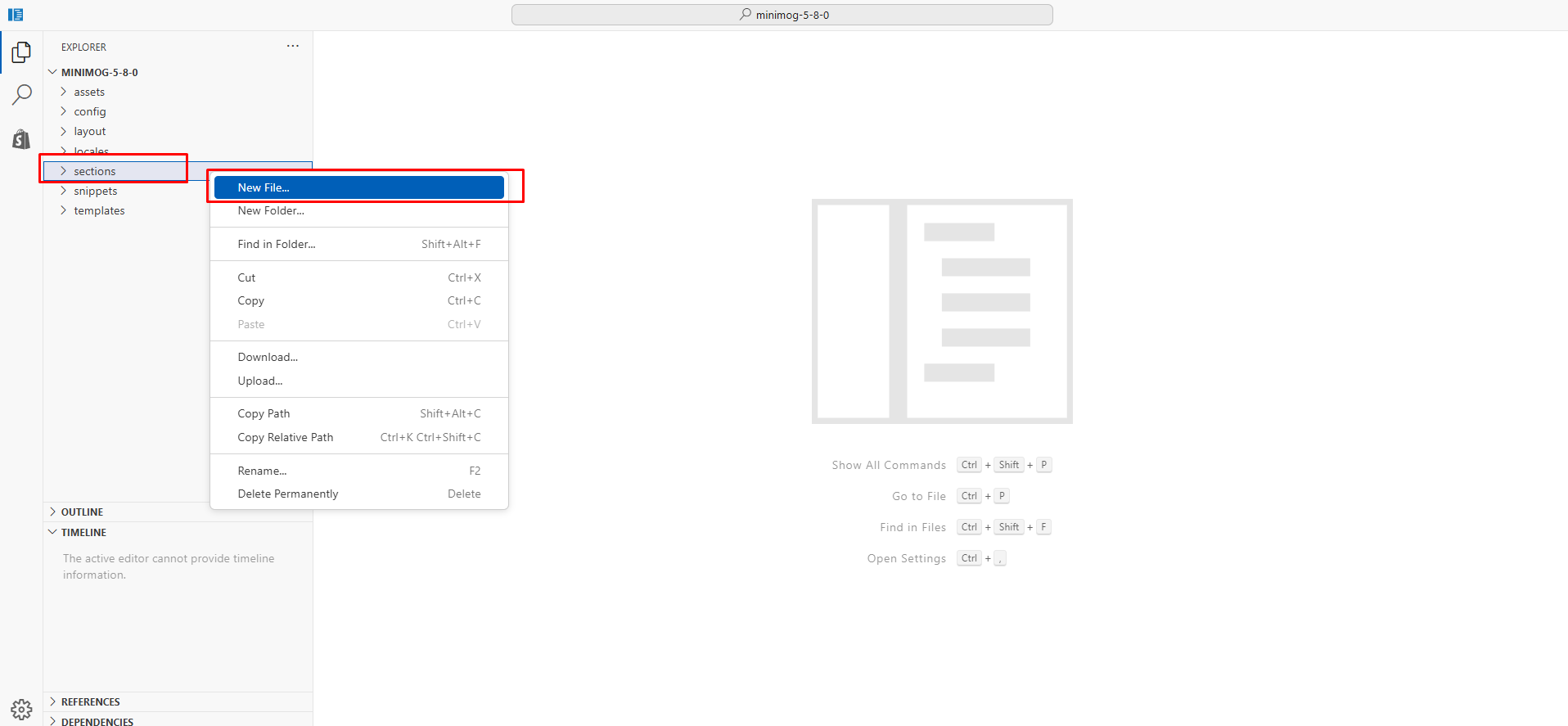
28 Mar, 2026

About Us
Contrary to popular belief, Lorem Ipsum is not simply random text. It has roots in a piece of classical Latin literature from 45 BC, making it over 2000 years old.
Please fill out the form below and we will get back to you as soon as possible.
Contrary to popular belief, Lorem Ipsum is not simply random text. It has roots in a piece of classical Latin literature from 45 BC, making it over 2000 years old.

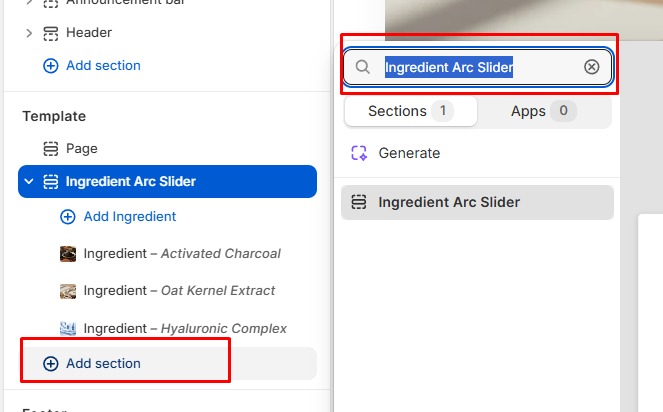
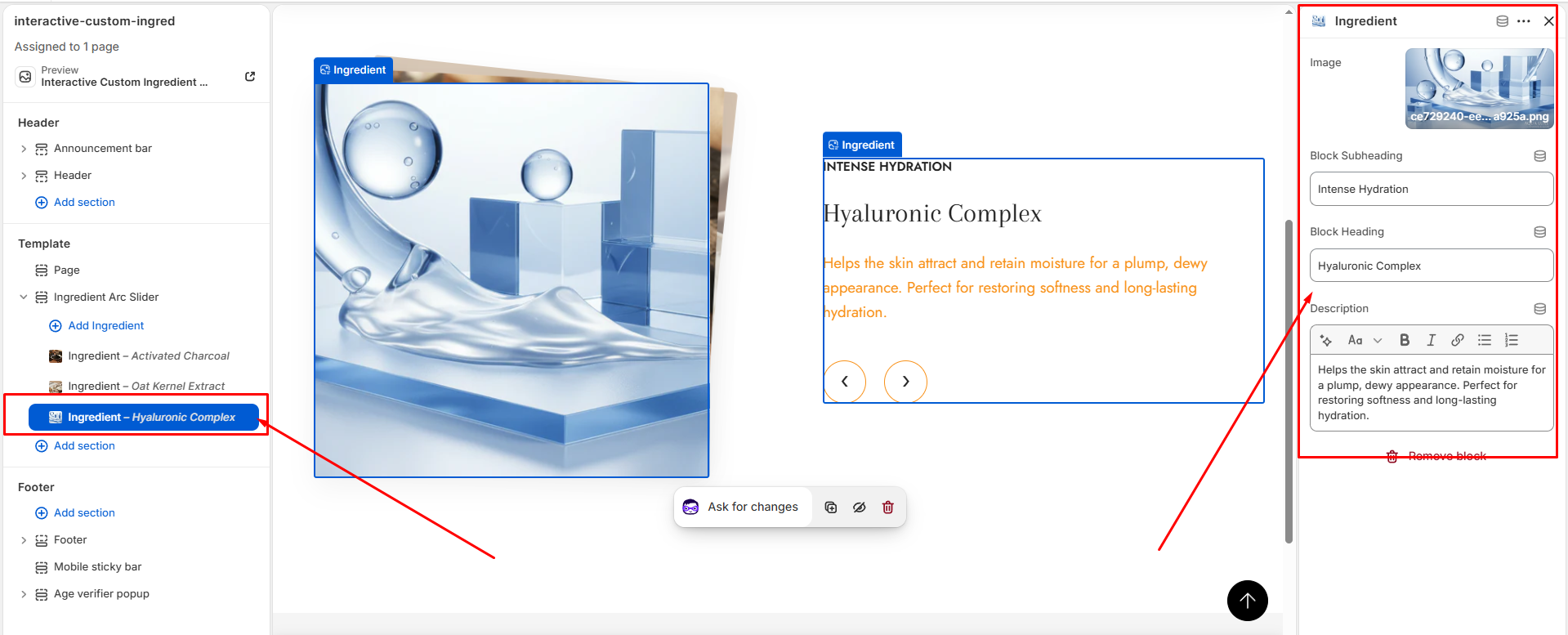
This dynamic slider section allows you to beautifully present your product ingredients in an engaging and visually appealing way. Each ingredient can be showcased with custom images, titles, and descriptions, helping customers clearly understand the benefits and composition of your products. The slider is fully responsive, smooth in performance, and customizable to match your store’s branding. It enhances user experience, builds trust, and adds a modern, premium feel to your product pages—perfect for skincare, food, supplements, or any ingredient-focused products.
Fast, click here to download the code.

Step: 02


No comments yet. Be the first to share your thoughts!